
Free · no ads · no accounts
New: send to your TVPaste a magnet link. It just plays.
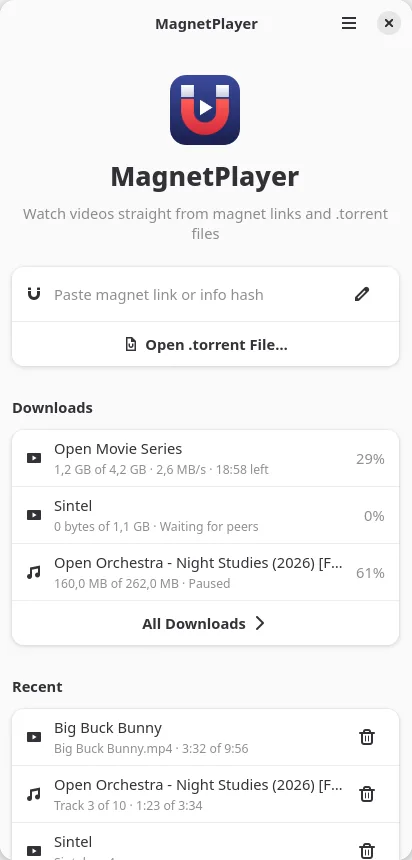
MagnetPlayer plays video and music straight from magnet links and .torrent files while they download — no waiting for the whole file, and nothing left on disk unless you keep it.

How it works
From link to picture in three steps
Paste a magnet
Paste a magnet link or an info hash, or open a .torrent file. On Linux and Android a click on a magnet link in the browser works too.
It starts playing
The pieces just ahead of the playhead come first, so playback starts as soon as they arrive. Seek anywhere — downloading follows you.
Keep it if you like
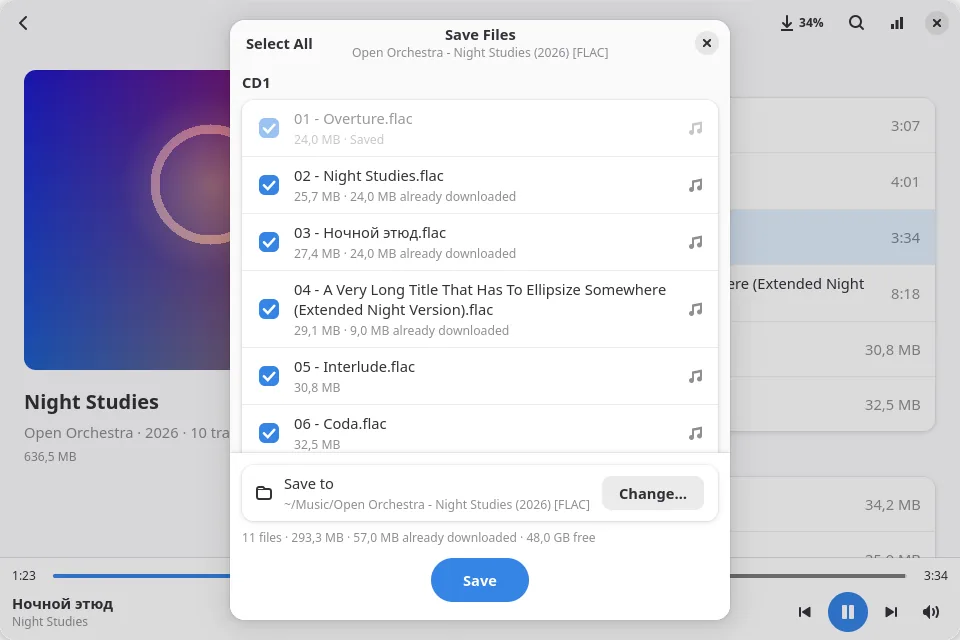
Watching leaves nothing behind. To keep a film, an album or a few episodes, press Save — what is already downloaded is reused.
Your devicesNew
Start on your phone. Finish on the TV.
MagnetPlayer finds your other devices on the home network. Send what’s playing to a TV, a computer or a phone: it carries on from the same second, and the phone in your hand becomes the remote.
Saved on your laptop? Your phone takes it straight from there.
When a film or an album is saved on the device you send from, the other device gets it straight from there over your home network — fast, even when nobody seeds it any more. Only that device gets it: nothing goes to the swarm unless “Upload while watching” is on.
Keep MagnetPlayer open on the sending device while the other one plays. If it goes away, the film carries on from the swarm — as long as someone still seeds it.
Phone, computer, TV
Computers on Linux, Windows and macOS, Android phones and Android TV work together: phone to TV, computer to phone, one computer to another — and your phone becomes the TV’s remote.
From the player or the list
From the video player, an album or the mini-player — or a torrent straight from your recent list: ⋮ → “Send to device…”.
Allow once
A device can control another only after you allow it there: Allow, Deny or Block. Allowed devices are remembered, and you can remove them in Settings at any time.
Your home network only
Devices find each other only on the same local network — no accounts, no cloud. “Allow control from other devices” is on from the start on TVs and computers without a battery; on laptops and phones it’s one tap.
Real screens
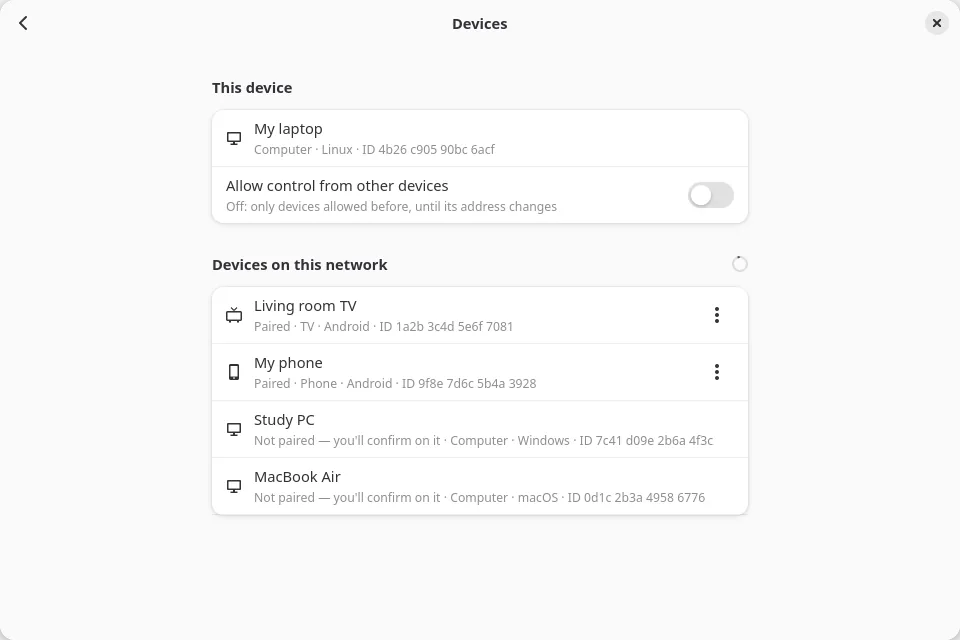
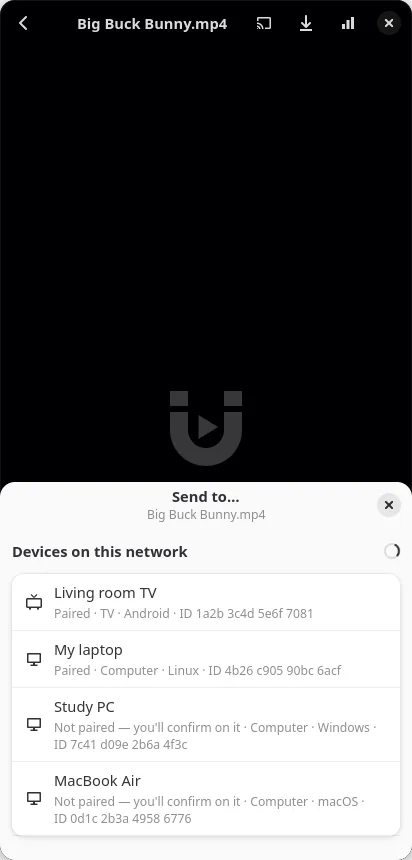
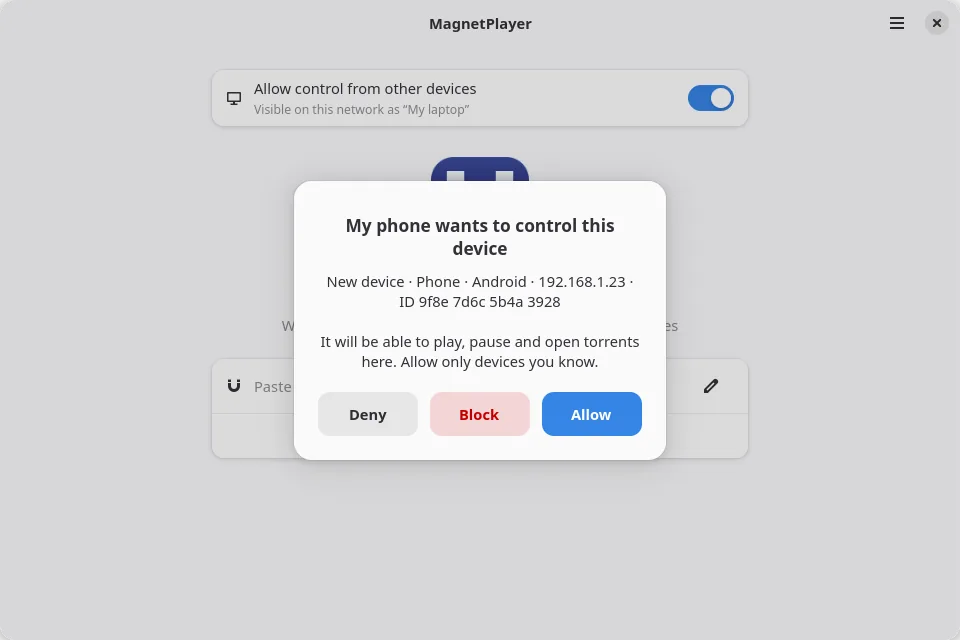
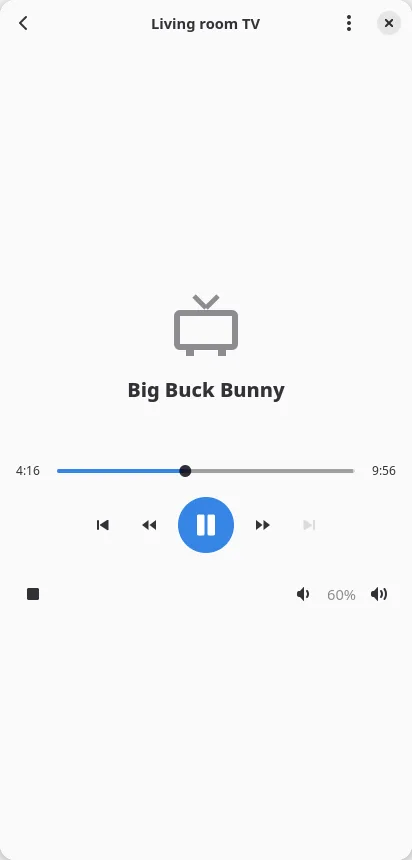
Works when both devices are on the same home network with MagnetPlayer open.
Features
A real player, with a torrent engine inside
Built on libmpv for playback and librqbit for BitTorrent, wrapped in a native GTK 4 interface.
Plays while it downloads
Pieces around the playhead come first, plus the start and end of the file the container needs. Seek anywhere, any time.
Nothing kept by default
Pieces go to an anonymous temporary file with no name on disk. The system frees it when playback stops — even if the app crashes.
Albums, gapless
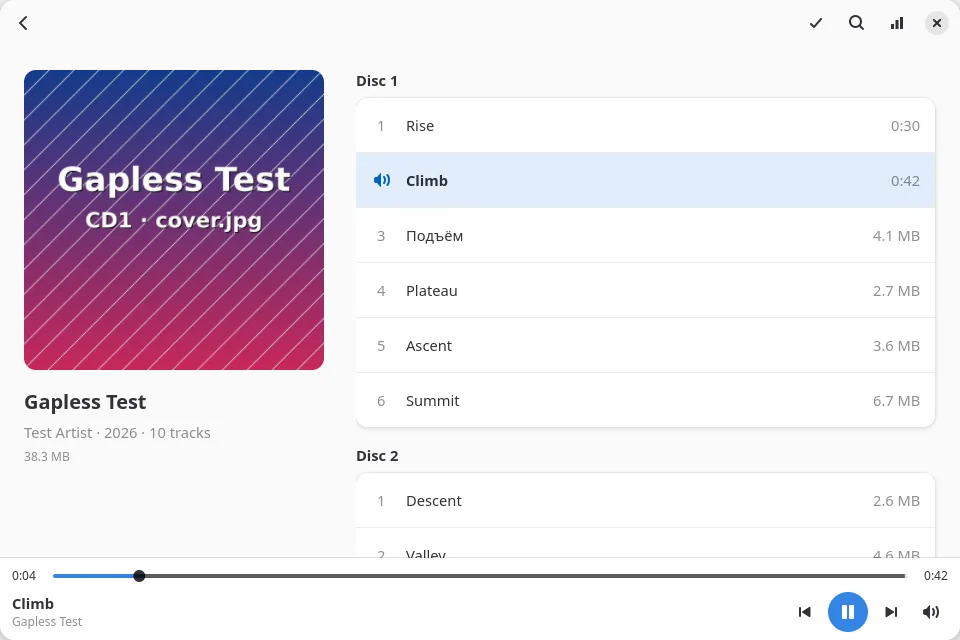
MP3, FLAC, Opus, AAC and more. Multi-disc albums with covers, gapless playback and search across big discographies.
Series and playlists
Next and previous episode, the next one starting on its own, and subtitles from the torrent — SRT, ASS, VTT.
Keep what you like
Save a film, an album or chosen episodes to Videos, Music or Downloads (Movies, Music or Download on Android). Pieces you have are reused.
Offline and verified
Saved torrents play offline like files in an ordinary player, and every piece is checked against its SHA-1 hash.
Mini-player, background audio
Music keeps playing with the screen off. Control it with MPRIS on Linux or the media controls on Android.
Light and dark
Follows the system theme, or pick one yourself. The interface speaks English and Russian.
Upload off by default
Turn on “Upload while watching” to share pieces with the swarm. Either way, peers see your IP address — that is how BitTorrent works.
Platforms
One torrent player for every screen
The same Rust and GTK code runs on computers, phones, TV boxes and watches.
- Available
Linux
Packages for Debian and Ubuntu, Fedora and Arch Linux. Opens magnet links from the browser.
- Available
Windows
The same app with a Windows installer.
- In progress
macOS
The app runs on macOS; a ready-to-install build is on the way.
- Available
Android phones & tablets
Android 9 and newer, 64-bit and 32-bit ARM. Opens magnet links from the browser.
- In progress
Android TV & Fire TV
The Android app installs and plays on TV boxes and Fire OS 7 TVs, and your phone can be its remote. Navigation with the TV’s own remote and a big-screen layout are still to come.
- In progress
Wear OS
The app starts on a Wear OS watch. A layout for small and round screens is still to come.
“Available”: ready to download and use. “In progress”: the app runs there, but its build or its interface is not finished yet.
Screenshots
See it in action
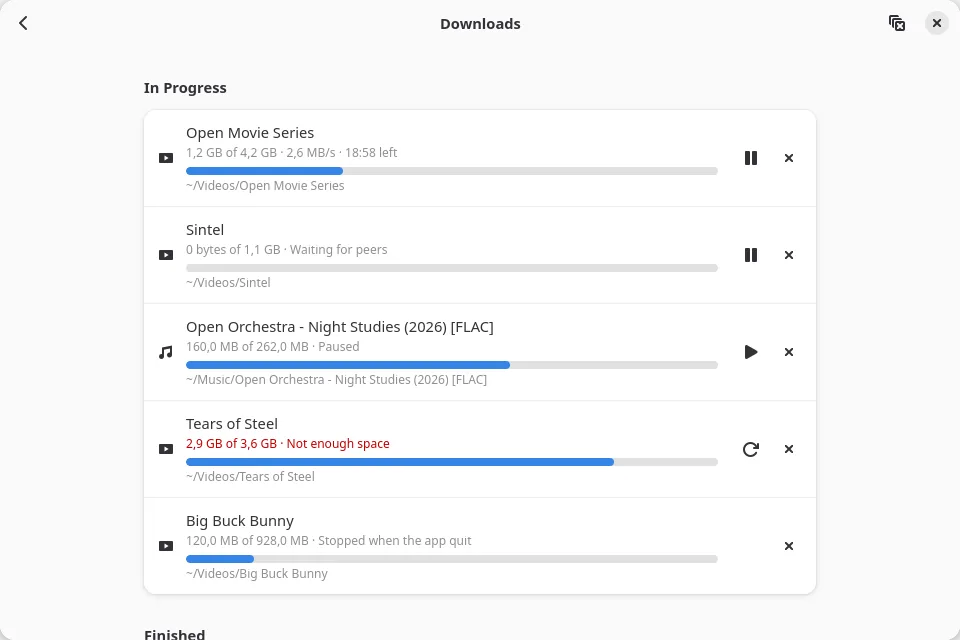
Real screens of the app, on the desktop and on a phone.
Desktop
Phone
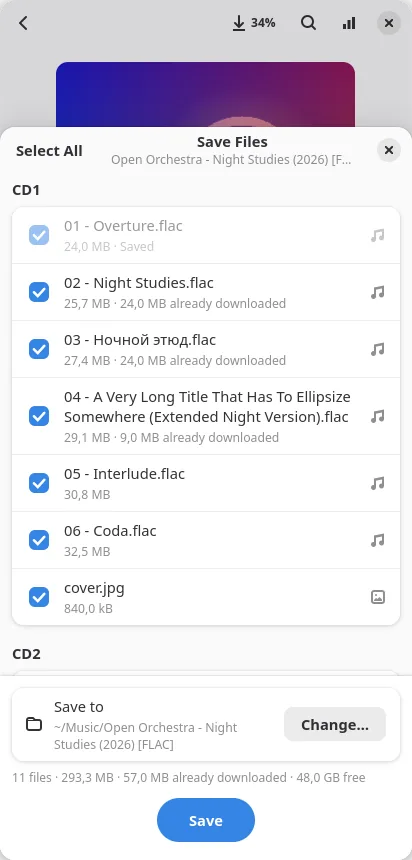
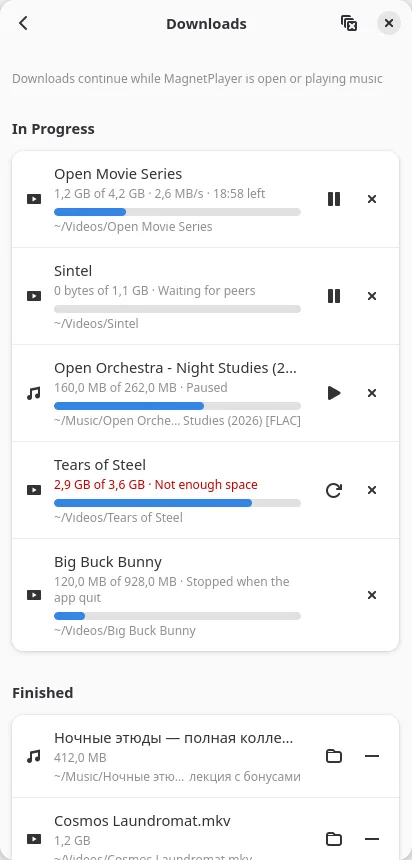
Big Buck Bunny (CC BY 3.0) and the other film titles shown are open movies by the Blender Foundation; the albums are test data and Creative Commons music.
Private by design
No accounts, no ads, no telemetry
Besides the BitTorrent network of the torrents you open and your own devices on the home network, MagnetPlayer only asks this site whether a newer version is out, and that can be turned off. Settings and recent items stay on your device, and uploading to the swarm is off until you turn it on.
- Free to use
- No sign-up
- Upload off by default
- Nothing kept unless you save it
FAQ
Questions and answers
Do I have to wait for the download to finish?
No. Playback starts once the first pieces around the playhead arrive, and the rest downloads while you watch or listen. How soon depends on the swarm: more peers, faster start.
Where do the files go?
Nowhere, unless you save them. While you watch, pieces live in an anonymous temporary file that disappears when playback stops. Press Save to keep a film, an album or episodes in Videos, Music or Downloads.
Does it upload to other peers?
Not by default. Turn on “Upload while watching” in Settings to share pieces with others. Either way, peers in a swarm see your IP address.
Can I finish on the TV what I started on my phone?
Yes. Open MagnetPlayer on both, on the same home network. In the player, tap the send button and pick the TV; the first time, press Allow on the TV. The TV opens the same film or album at the same second, and the phone pauses. Tap Remote and control the TV from the phone. It works the same way between computers and phones; on a laptop or phone you send to, turn on “Allow control from other devices” first.
Do I have to keep the phone on?
No, if the TV downloads the film from the swarm: it carries on by itself, and the phone can come back as the remote at any time. If the TV takes a saved film straight from your phone, keep MagnetPlayer open on the phone while the TV plays; otherwise the TV carries on from the swarm, as long as someone still seeds it.
Who can control my TV or computer?
Only devices on your home network that you allowed on it. The first time a device asks, MagnetPlayer shows “… wants to control this device” with Allow, Deny and Block. Allowed devices are remembered, and you can remove them in Settings at any time. “Allow control from other devices” is on from the start on TVs and computers without a battery, and off on laptops, phones and watches until you turn it on; while it is off, only devices you allowed before can reach it.
My devices don’t see each other. What should I check?
Check that MagnetPlayer is open on both and that they’re on the same network — guest Wi‑Fi often keeps devices apart. A phone shows up only while MagnetPlayer is open or playing on it. On the device you want to control, turn on “Allow control from other devices”. On Windows, set the network to Private. With a firewall on, let in UDP 5353 and TCP 47800–47809 from your home network (and 6881 for saved films). Now and then a device drops off the list for a moment: wait a few seconds or open the list again.
Which formats does it play?
What libmpv and FFmpeg play: MKV, MP4, WebM, AVI, MOV, TS; MP3, FLAC, Opus, AAC/M4A, Ogg, WAV, APE, WavPack and more. Subtitles from the torrent: SRT, ASS/SSA, VTT and PGS (.sup).
Can I search for torrents in the app?
No. MagnetPlayer has no catalogue and no content search; it plays the magnet links and .torrent files you open. The project hosts and indexes nothing.
Is it free?
Yes. No ads, no accounts and no telemetry.
Does it work on TVs and watches?
The Android app installs and plays on Android TV boxes, Fire OS 7 TVs and Wear OS watches, but it still has the phone interface there. On a TV, your phone can already be the remote: send a film from the phone and control it from there. Navigation with the TV’s own remote and layouts for small and round screens are in progress.